

Fake Mobile Gaming Reward Sites often use the same tactics to make questionable offers look legitimate, including fake countdown timers, unrealistic rewards, suspicious URLs, and requests for sensitive account information.
A site claiming to give away free spins, coins, boosters, or other game rewards should never be trusted simply because it looks professional.
Before using a reward site, check where the link came from, what information it requests, whether the claimed reward is realistic, and whether the offer can be traced to a legitimate source.
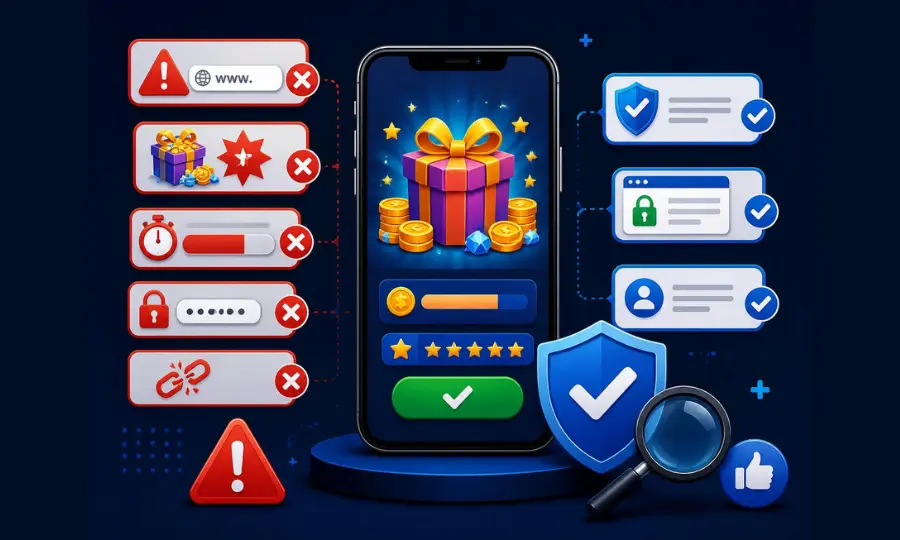
This guide breaks down the main scam red flags and gives you a practical checklist for evaluating reward sites safely.
The Core Red Flags of Fake Reward Sites
| Red Flag | Why It’s Suspicious |
|---|---|
| Fake countdown timer (“expires in 4:59”) | Creates artificial urgency to stop you from checking the site’s legitimacy first |
| Asks for your game account password | No legitimate gift link requires your login — it opens directly in the game via a redirect |
| Promises rewards far bigger than the real game offers | Real developer gift links are small and incremental, not game-changing |
| No way to verify who runs the site | Legitimate sites have an About page, contact info, and a track record |
| Redirect chains through multiple unrelated domains | Common pattern for ad-fraud or credential-harvesting pages. Check from Safe Browsing site status From google. |
How to Check the URL and Source
Genuine gift links come from two places: the game developer’s own verified social media accounts, or the developer’s official website.
If a “free rewards” link is hosted on a domain with no clear connection to the game, or arrives via an unsolicited message rather than a public post from a verified account, treat it as unverified until you can trace it back to the source.
Never Enter These Details on a Suspicious Reward Site
What a Legitimate Mobile Gaming Reward Site Looks Like
- Links go directly to the game’s official domain or open the app itself — no third-party login screen.
- Rewards are modest and consistent with what the developer normally gives away (small spin/coin bundles, not thousands of premium currency).
- The site has clear ownership information — an About page, contact method, and consistent posting history.
- No pressure tactics — a real link either works or it’s expired, with no manufactured urgency.
What to Do If You Already Entered Your Details
If you’ve already typed your game credentials into a site you now suspect, act in this order. Speed matters more than certainty — do these even if you’re not sure the site was fake.
Change the Password on the Game Account First
Do it from inside the game or from the developer’s own website, not from any link on the suspicious page. If your game account is linked to Facebook or Google rather than having its own password, change the password on that account instead, since that’s the one that was actually exposed.
Change It Anywhere Else You Reused It
This is the step people skip and the one that causes the real damage. A game password is rarely the valuable target — the attacker is usually testing whether the same combination opens your email, which opens everything else. If that password is on any other account, change it there too.
Remove the Site’s Access and Check What It Could See
If the page asked you to authorize a login through Facebook or Google rather than typing a password, the fix is different: go into that platform’s connected-apps settings and revoke the access you granted. The credentials weren’t handed over, but the permission was.
Check Whether the Site Is Already Flagged
You can look up any domain in Google’s Safe Browsing site status tool to see whether it’s currently flagged for phishing or malware. A clean result doesn’t prove a site is safe — new scam domains appear faster than any scanner catches them — but a flagged result settles the question immediately.
Quick Safety Checklist
Trace the source
Can you find this exact link on the developer’s own official channel? If not, don’t click it.
Check what it’s asking for
A real gift link asks for nothing beyond opening your game. If it wants a password, close the tab.
Sanity-check the reward size
If it’s offering far more than the developer’s own daily gifts typically give, be skeptical.
Fake Mobile Gaming Reward Sites FAQ
Are All Mobile Gaming Reward Sites Scams?
No — many are legitimate and simply aggregate official gift links. The distinction is whether they link directly to the developer's real content or ask for credentials themselves.
What Should I Do If I Already Entered My Password on a Suspicious Site?
Change your game account password immediately, and change it on any other account where you reused the same password.
Can a Fake Reward Link Install Malware?
It's possible if the link leads to a download prompt outside your device's official app store — never install an app or file to "claim" an in-game reward.
Why Do Countdown Timers on These Sites Feel So Urgent?
Artificial urgency is a deliberate pressure tactic designed to make you act before you'd normally stop to verify the source.
Related Guides:
- How to Spot Fake Mobile Gaming Reward Sites
- Mobile Gaming Terms Glossary
- Idle Progress in Mobile Games
Disclaimer: This guide provides general online safety information and is not an exhaustive list of scam indicators. Always use your own judgment and your device’s built-in security features when evaluating third-party websites or reward links. Gamer Orbis is independent and is not affiliated with any game publisher.